How to Remove the Battery Cap on a Bushnell Scope | Gone Outdoors
NEWExplore America's campgrounds on our interactive map

How to Remove the Battery Cap on a Bushnell Scope

How to Remove the Battery Cap on a Bushnell Scope
Written By
Nathan Fisher
Nathan Fisher
Jan 10, 2011
1 minute read

Bushnell's illuminated rifle scopes use a laser or light-emitting diode that provides better aim in low light conditions. Some scopes project a beam or lighted dot on the target; others illuminate the scope's internal retical. Batteries are depleted quickly, depending on model, design and frequency of use. This is particularly true of laser models.

Items you will need

  • Gun vise

  • Duct or electrical tape

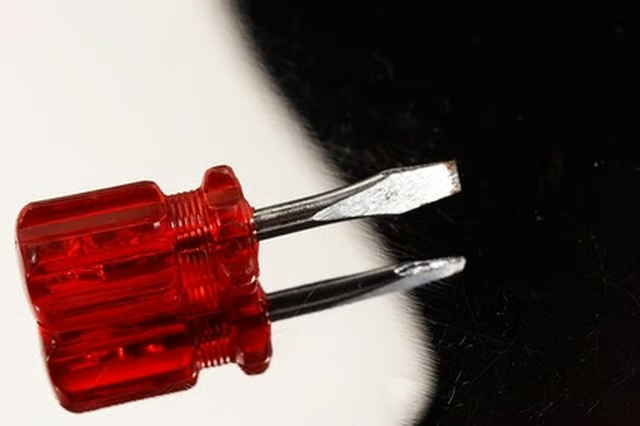
  • Regular screwdriver

Unload the firearm and place it in the gun vise.

Locate the three caps on the barrel of the scope. The battery cap might be in front or in back of the windage and elevation-adjustment screw caps; the battery cap will be larger than the other two on most models. The battery cap is set atop a graduated dial -- used to adjust the intensity of the light -- on some models.

Cover the tip of the screwdriver with tape to avoid damaging the battery cap.

Insert the screwdriver in the slot on the battery cap. Turn the slot counterclockwise to loosen, and finish unscrewing the cap with your fingers.

Tips

Carry a short screwdriver, covered with tape, and a spare battery. Be prepared if the battery suddenly goes dead.

Nathan Fisher

Nathan "Guide" Fisher began writing in 1997. A pilot and avid outdoorsman, Fisher has written articles on aviation and outdoor recreation, and produced marketing materials for “The Great Outdoors NETWORK!” Fisher holds bachelor's degrees…

Sponsored
Gone Outdoors Logo

Explore the outdoors with the best source for fishing, boating, camping, hunting, firearms, electronics, trailers and towing, maintenance and much more.

Property of TechnologyAdvice. © 2026 TechnologyAdvice. All Rights Reserved

Advertiser Disclosure: Some of the products that appear on this site are from companies from which TechnologyAdvice receives compensation. This compensation may impact how and where products appear on this site including, for example, the order in which they appear. TechnologyAdvice does not include all companies or all types of products available in the marketplace.